
Leading Google Workspace Partner in Bangladesh
The best way to create, communicate, and collaborate with your team. Familiar tools, fewer distractions, and more focus on your business success.
The Brands That Trust Us
We proud to working National and Global brands- Small medium and large company.

































Find the right plan for you
Google Workspace Bangladesh
To get started with Google Workspace, you'll need a domain connected to 71 Web Host.
-
 30 GB pooled storage per person*
 -
Quantity: 5+ Accounts
-
 Secure custom business email you@your-company.com
 -
 Gemini AI assistant in Gmail
 -
 Chat with AI in the Gemini app
 -
 Video meetings, 100 participants
 -
 Google Vids AI-powered video creator and editor
 -
Security and management controls
-
30 GB pooled storage per person*
-
Quantity: 15+ Accounts
-
Secure custom business email you@your-company.com
-
Gemini AI assistant in Gmail
-
Chat with AI in the Gemini app
-
Video meetings, 100 participants
-
Google Vids AI-powered video creator and editor
-
Security and management controls
-
30 GB pooled storage per person*
-
Quantity: 50+ Accounts
-
Secure custom business email you@your-company.com
-
Gemini AI assistant in Gmail
-
Chat with AI in the Gemini app
-
Video meetings, 100 participants
-
Google Vids AI-powered video creator and editor
-
Security and management controls
-
30 GB pooled storage per person*
-
Quantity: 100+ Accounts
-
Secure custom business email you@your-company.com
-
Gemini AI assistant in Gmail
-
Chat with AI in the Gemini app
-
Video meetings, 100 participants
-
Google Vids AI-powered video creator and editor
-
Security and management controls
-
2 TB pooled storage per person*
-
Secure custom business email you@your-company.com
-
Gemini AI assistant in Gmail
-
Chat with AI in the Gemini app
-
Video meetings, 150 participants
-
Google Vids AI-powered video creator and editor
-
Security and management controls
-
5 TB pooled storage per person*
-
Secure custom business email you@your-company.com
-
Gemini AI assistant in Gmail
-
Chat with AI in the Gemini app
-
Video meetings, 500 participants
-
Google Vids AI-powered video creator and editor
-
Security and management controls
-
Unlimited pooled storage per person*
-
Secure custom business email you@your-company.com
-
Gemini AI assistant in Gmail
-
Chat with AI in the Gemini app
-
Video meetings, 1000 participants
-
Google Vids AI-powered video creator and editor
-
Security and management controls
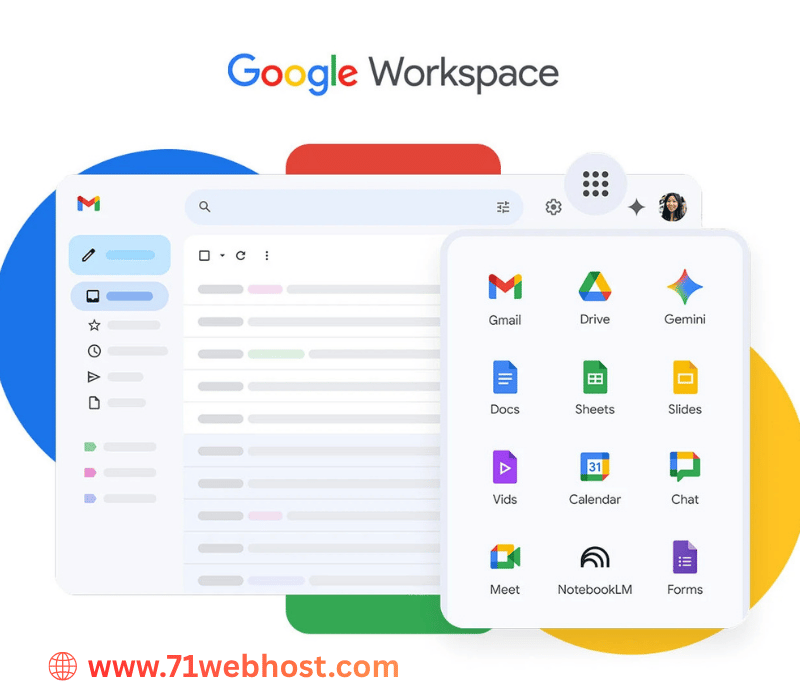
Google Workspace includes
We are Google Workspace Partner in Bangladesh
Gmail
Drive
Meet
 Calendar
Chat
Gemini
Calendar
Chat
Gemini
 Docs
Docs
 Sheets
 Slides
Vids
Slides
Vids
 Forms
Forms
 Keep
Keep
 Sites
Sites
 AppSheet
 Tasks
Tasks
What You Get
Custom Domain Email
you@yourbusiness.com — a trusted, professional email address.
Cloud Storage
30GB to unlimited Drive storage depending on your plan.
Google Meet
HD video conferencing with recording capabilities.
Admin Control
Centralized user management and security policy controls.
2-Step Verification
Enterprise-grade account security for your organization.
Mobile Sync
Real-time sync across all devices with offline access support.
Team Collaboration
Collaborate in real-time on Docs, Sheets, and more.
Setup Assistance
Our team provides full DNS/MX record configuration support.
Why Google Workspace Is Right for Your Business?
Professional Email
Send emails from yourname@yourcompany.com and build instant credibility with every email you send.
Real-Time Collaboration
Edit documents, spreadsheets, and presentations simultaneously with your entire team from anywhere.
Enterprise Security
Two-factor authentication, SSO, advanced admin controls, and compliance certifications keep your data safe.
Work From Anywhere
Full-featured iOS and Android apps let your team stay productive on any device, anywhere in the world.
Elevate Your Team's Productivity
Start with a 14-day free trial. No credit card required.
-: Google Workspace Bangladesh - Related Videos :-


| FEATURES | BUSINESS STARTER | BUSINESS STANDARD | BUSINESS PLUS |
|---|---|---|---|
| Price | BDT. 400 /mo/user | BDT. 1,650 /mo/user | BDT. 2,950 /mo/user |
| Meet Video & Voice Conferencing | 100 Participants | 150 Participants | 500 Participants |
| Meeting length (Maximum) | 24 hours | 24 hours | 24 hours |
| Docs, Spreadsheets, Slides | |||
| Gemini app - AI assistant from Google | |||
| Ad-free email experience | |||
| Gmail Business email | |||
| Custom Email for Your Business | |||
| Interoperability with Office files | |||
| Professional Surveys Builder | |||
| Chat Team Messaging | |||
| One-to-one external chat | |||
| Drive Secure Cloud Storage | 30 GB | 2 TB | 5 TB |
| Support for over 100 file types | |||
| User Management Admin | |||
| Upgrading Facilities for Increased Cloud Storage | |||
| Sites Website Builder | |||
| Smart search | Smart search across G Suite | Smart search across G Suite | Smart search across G Suite |
| Apps Script Automate | |||
| Vids AI-powered Video Creation | |||
| Phishing & Spam Protection that Blocks More Than 99.9% of Attacks | |||
| Integrate and Extend with G Suite | |||
| 2-Step Verification | |||
| Drive for Desktop | |||
| 24/7 Standard Support | |||
| ORDER NOW | ORDER NOW | ORDER NOW |
G-Suite and Google Workspace: A Complete Guide
Google Workspace sits at the heart of many modern businesses. Its predecessor, G Suite, still gets mentioned constantly. This guide explains the platform, its benefits, and setup. Migration help gets covered at the end.
What Is Google Workspace?
G Suite was Google's original business productivity suite. It first launched back in 2006. Google called it Google Apps for Your Domain. The early package included Gmail, Calendar, and Talk. More tools arrived over the following years. Docs, Sheets, Slides, and Drive joined later. Google rebranded everything as G Suite in 2016. October 2020 brought another major name change. Google Workspace became the new official title. Both names refer to the exact same platform. Many people still use the older term today.
So what does this platform actually offer? It bundles cloud-based tools for daily business work. Core apps include Gmail, Drive, Docs, and Meet. Sheets, Slides, Forms, and Calendar round out the basics. Every tool runs directly inside your web browser. No downloads or complicated installations are required. Files save automatically to secure cloud storage. Team members can edit documents together in real time. Changes appear instantly for every collaborator. This makes remote teamwork far simpler. Distributed teams benefit most from this.
Every plan runs on your own company domain. Your email address shows your business name. That looks far more professional than generic accounts. Administrators also get central controls and security settings. Plans exist for solo users and large enterprises. Pricing scales based on your number of users. Storage allowances vary depending on your chosen tier. Higher tiers add advanced admin and compliance tools.
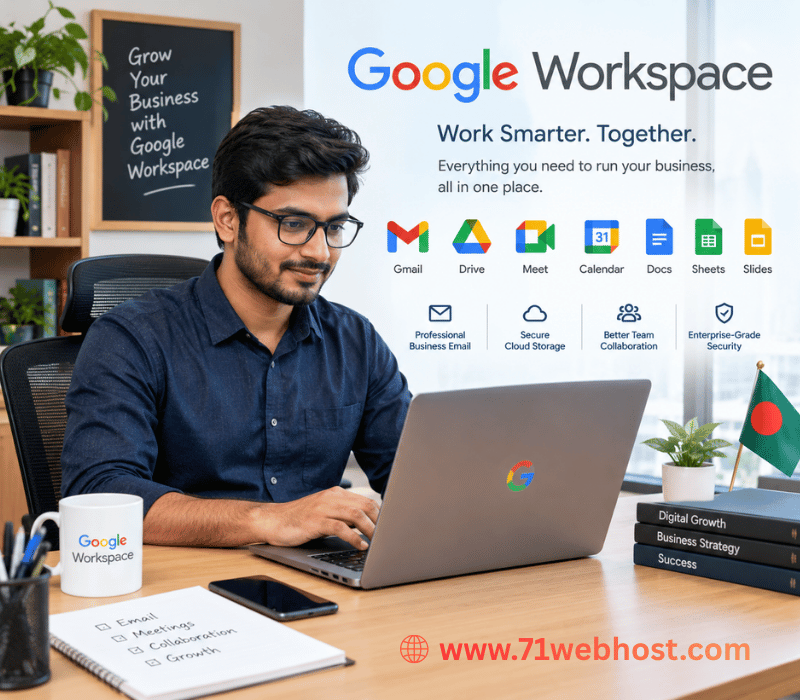
Think of Workspace as a complete digital office. Email, files, meetings, and chats sit in one place. Millions of businesses worldwide now rely on it. Freelancers, startups, schools, and corporations all use it daily. Understanding its history helps explain its current design. The next sections break down its main benefits. Each one builds on the last.
Benefits of Google Workspace:
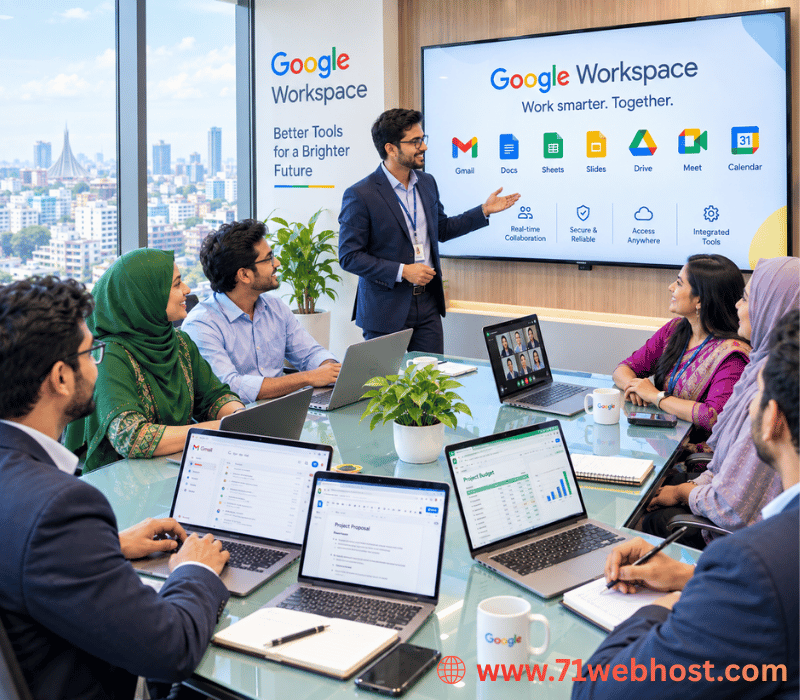
The benefits of G Suite are genuinely practical. Cost savings top most people's lists. One subscription replaces several separate paid tools. Email hosting, storage, and office apps come included. Buying these services individually would cost much more. Small budgets stretch noticeably further this way.
Real-time collaboration is another major advantage. Multiple people can edit one document simultaneously. Everyone sees updates as they happen. Commenting and suggestion modes streamline feedback loops. Version history protects your work automatically. You can restore earlier drafts whenever needed. Email chains with endless attachments become unnecessary.
Anytime, anywhere access matters just as much. Your files live in the cloud. Any device with internet can reach them. Work from laptops, tablets, or phones. Offline mode still lets you keep editing. Changes sync once your connection returns. This flexibility suits modern hybrid working perfectly.
Security features deserve special mention here. Google protects data with encryption in transit and at rest. Two-step verification blocks most unauthorized access attempts. Admins can enforce policies across every account. Automatic updates keep software vulnerabilities patched quickly. You never manually install security fixes yourself.
Administrative simplicity is an underrated benefit. One dashboard manages all user accounts. Adding or removing staff takes minutes. Apps integrate seamlessly with each other. Gmail connects directly with Calendar and Meet. Drive files open easily inside Docs and Sheets. Everything shares the same familiar search bar. That consistency shortens the learning curve considerably.
Reliability also deserves a quick mention. Google promises 99.9 percent uptime in service agreements. Data centers handle backups automatically behind the scenes. Scalability rounds out the list nicely. Start with one user and grow later. Add accounts whenever your team expands. Downgrade equally easily during quieter periods. Nothing breaks when your headcount changes. Few platforms match this overall combination. That explains its enduring popularity worldwide.
Why Choose Google Workspace?
Why choose Google Workspace over competitors? Familiarity plays a surprisingly big role. Most employees already know Gmail and Docs. Training costs drop because people need little instruction. Resistance to new software shrinks considerably. New hires often arrive already comfortable.
Deep integration gives Workspace its real edge. Microsoft 365 offers strong tools too. However, Google's apps share one connected design. You can start a Meet call from Gmail. Calendar invites attach documents automatically before meetings. Chat conversations link directly to shared Drive files. Everything connects without extra plugins or workarounds.
Google's search technology works across everything. Finding an old file takes seconds. You search once instead of checking each app. Smart features suggest relevant files and contacts. Small conveniences add up throughout a workday.
Browser-based operation removes device compatibility headaches. Windows, Mac, Linux, ChromeOS all work fine. Mobile apps cover Android and iOS devices. Your experience stays consistent across every platform. Competing suites sometimes behave differently elsewhere.
Transparent pricing makes budgeting much simpler. Google publishes clear per-user monthly rates. Business Starter, Business Standard, and Business Plus exist. Enterprise plans serve larger organizations with extra needs. You can switch tiers as requirements change. There are no long lock-in contracts for most plans.
The wider ecosystem matters as well. Thousands of third-party apps connect through the Marketplace. Project management, CRM, and e-signature tools integrate smoothly. Google adds new features regularly. Recent updates brought Smart Canvas collaboration features. Updates arrive without any downtime.
So who benefits most from Workspace? Small teams gain the most immediately. Remote businesses love the collaboration focus. Growing companies appreciate the easy scaling. Even established enterprises switch for simplicity. Google Workspace fits organizations that value speed. It rewards teams that prefer working together fluidly. Consider your workflows before deciding. That collaborative spirit defines the entire platform.
Getting Started with Google Workspace
Getting started with Google Workspace is straightforward. First, choose the right subscription plan. Compare storage limits and features before deciding. Most small businesses start with Business Starter. Larger teams usually need Business Standard instead. Next, sign up through Google's official website. You will need a business domain name. Buy one directly or connect an existing domain. Verification proves you actually own that domain. Google provides simple instructions for this step. Verification typically takes only a few minutes. Domain setup involves updating some DNS records. MX records route email to Google's servers. Google generates these records automatically for you. Your registrar's dashboard is where they go. Propagation can take up to 48 hours. Most domains activate much faster than that. Once verified, open the Admin console. This dashboard controls your entire organization. Create user accounts for every team member. Assign licenses and set storage quotas appropriately. Organize people into groups for easier management. Groups simplify sharing permissions across departments.
Google Cloud Partner | Google gSuite Partner | Corporate Gmail Provider | Google Workspace Plans | Google Workspace Email
No FAQs available at the moment.